
iPad
Home + Focus Desk
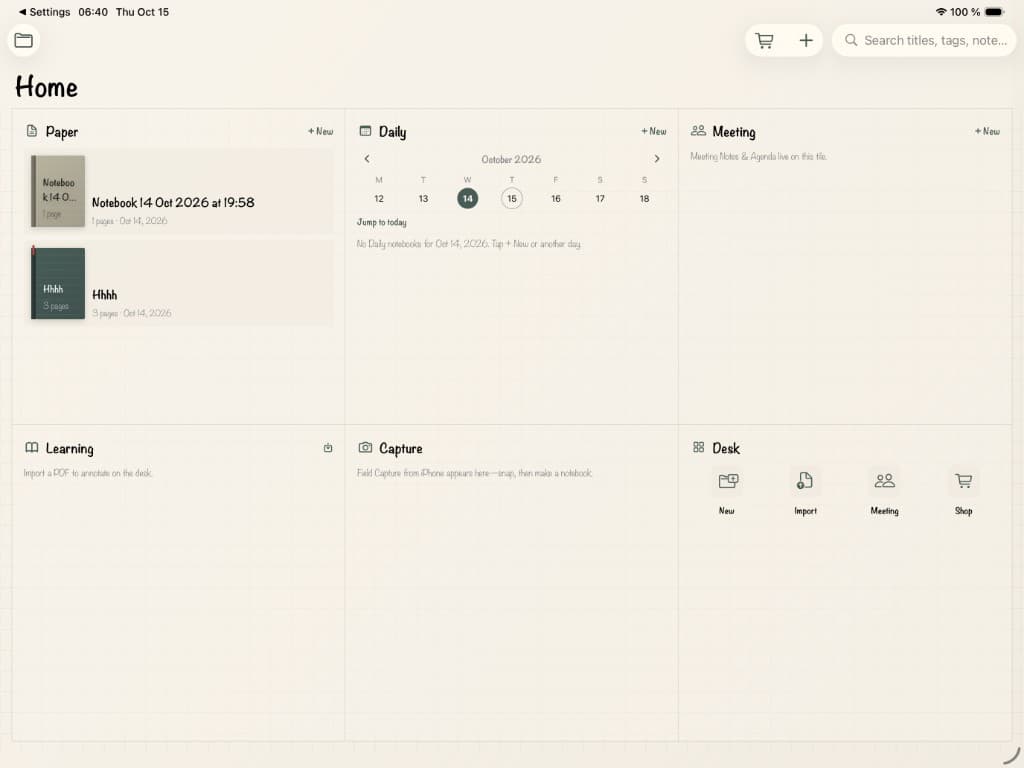
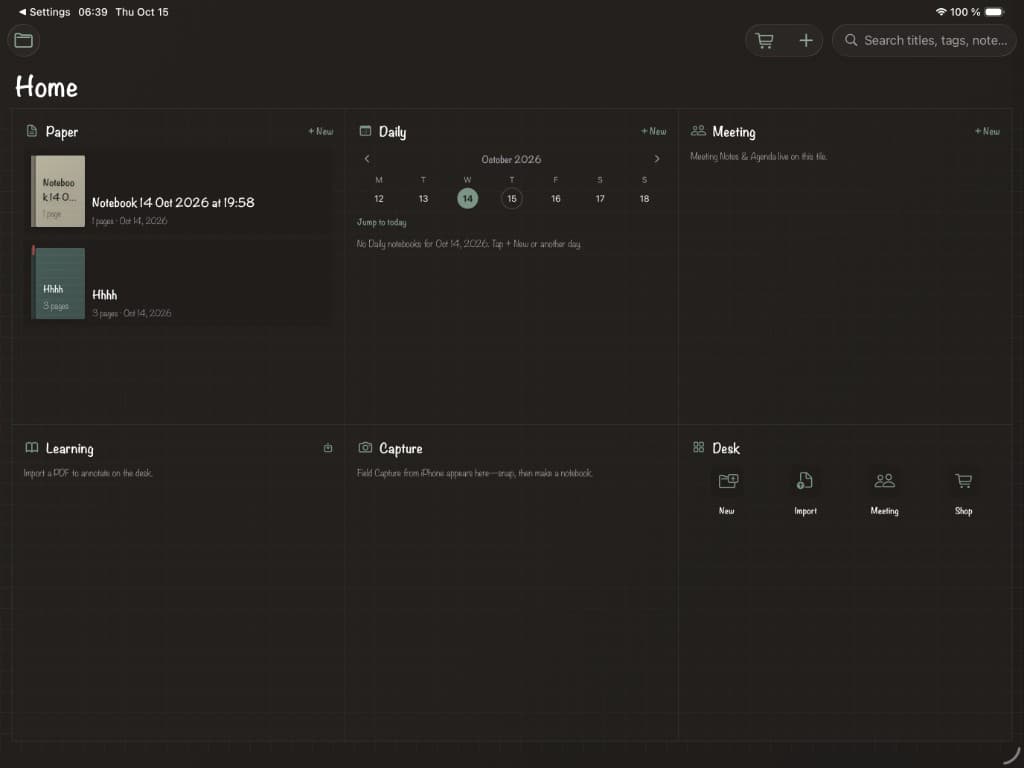
Six-tile Home—Paper, Daily, Meeting, Learning, Capture, Desk—then Apple Pencil on paper with ink colors, tip sizes, and Focus Desk. Light and dark stay together.
Handwritten home. Paper on.
Stillpaper
Paper-first notebook for iPad Home desk and Focus Desk, plus iPhone pocket. Handwritten chrome, Meeting templates, Field Capture, PDF import. Local-first. Pay once.
One app
Stillpaper is built as a duo: a full-screen Home desk on iPad, and a companion shelf on iPhone—not a tiny copy of the desk.
iPad
Six-tile Home—Paper, Daily, Meeting, Learning, Capture, Desk—then Apple Pencil on paper with ink colors, tip sizes, and Focus Desk. Light and dark stay together.
Handwritten home. Paper on.
iPhone
Shelf, Meeting Notes, review, local search, PDF import/export, and Field Capture—snap a whiteboard or agenda, open it on the desk.
Bring the meeting to the desk.
iPad Home
Paper, Daily, Meeting, Learning, Capture, and Desk—handwritten labels on a full-screen home that feels like opening a real notebook, in light or dark.
Focus Desk
Pick ink from the toolbar or by tapping pen again—Auto uses white ink in Dark Mode. Paper stocks and chrome stay with the system appearance, so Home and the page never flash apart.
Kickoff — Oct 14
Agenda
• Review the six-tile Home desk
• Choose ink that feels like a real pen
• Field Capture → open on the desk
Follow-ups
☐ Ship handwritten Home chrome
☐ Share a calm PDF of the notes
Stay on the paper.
Meetings without the cloud tax
No Teams or Meet login. No conference bot. Stillpaper stays paper-first: templates, Field Capture, and PDF import—your notes, on your devices.
Templates
Start free with Meeting Notes on the shelf. Unlock Meeting Pro for Agenda & Actions—layout ready before the call, not an AI bot in the room.
Field Capture
Photograph a whiteboard, agenda printout, or sticky wall in your pocket. Promote it into a blank notebook on iPad Focus Desk—local photo, no account.
Import
Import a PDF or share text/docs into Stillpaper, then annotate with Apple Pencil. Export when you need a portable copy. You bring the meeting; we keep the desk calm.
Everything in the app
Stillpaper is small on purpose—but complete where it matters: ink, pages, templates, PDF, search, and ownership.
A full-screen Home with six tiles—Paper, Daily, Meeting, Learning, Capture, Desk—and handwritten labels that feel like a real notebook.
Write with Apple Pencil on paper that follows system appearance. Pick ink. Hide the chrome and stay on the page.
A companion shelf—not a tiny GoodNotes. Review, search, and capture on the go.
Templates, Field Capture, and PDF import—no Microsoft or Google login, no conference bot.
Honest paper atmosphere: stocks, templates, and a desk of covers—not a file list.
Import, annotate, organize, and export—local-first, with a one-time Complete unlock.
Why Stillpaper
Built for people who want to write, keep ownership, and carry the shelf in their pocket.
Six tiles and handwritten labels—not a file browser. Paper, Daily, Meeting, Learning, Capture, Desk.
No account wall to start writing. Autosave offline. Search typed and PDF text without cloud lock-in.
Complete unlocks templates and unlimited notebooks across iPhone and iPad. Ownership—not a yearly tax.
Honest pricing
Start with two notebooks and full ink tools on iPad. Unlock Stillpaper Complete once—same purchase on phone and iPad. Optional stationery packs, never a subscription.
Stillpaper Complete
$29.99one-time
Billed through Apple. Same unlock on iPhone and iPad. Price may vary by region.